
Microsoft for Startups: A Guide to Getting the Program's Benefits

Modest Mitkus · November 26, 2026
Microsoft for Startups is a program that gives early-stage software companies Azure credits, developer tools, and technical support, and you apply for it online through Founders Hub. If you're building an app without a coding background, it's a good way to cut your infrastructure bills to near zero while you figure out whether anyone will pay for what you're making.
This guide covers who qualifies, what you actually get, how the credit tiers work, and how to fit all of it into a realistic plan for launching a first app.
What Microsoft for Startups Actually Gives You
The program bundles cloud credits, software licenses, and guidance into one package. You can see Microsoft's own description on its program overview page, but here's the short version.
The main pieces:
- Azure credits to run your app's servers, databases, and AI features without paying out of pocket at first.
- Developer tools like GitHub and Visual Studio licenses.
- Productivity software such as Microsoft 365.
- Technical guidance from advisors who can help you pick the right Azure services.
- Support, including an Azure support plan you'd normally pay for.
Microsoft's technical benefits overview lists Microsoft 365 Business Premium for up to 50 seats for 12 months, GitHub Enterprise for 20 seats for 12 months, and Visual Studio Enterprise for five seats for 12 months. It also lists 24/7 Azure Standard Support, which the same page says normally costs $1,200 per year.
Honestly, if you're a solo founder, you probably won't need dozens of Microsoft 365 seats. But the credits and support are where the real value sits.
Who Qualifies for the Program
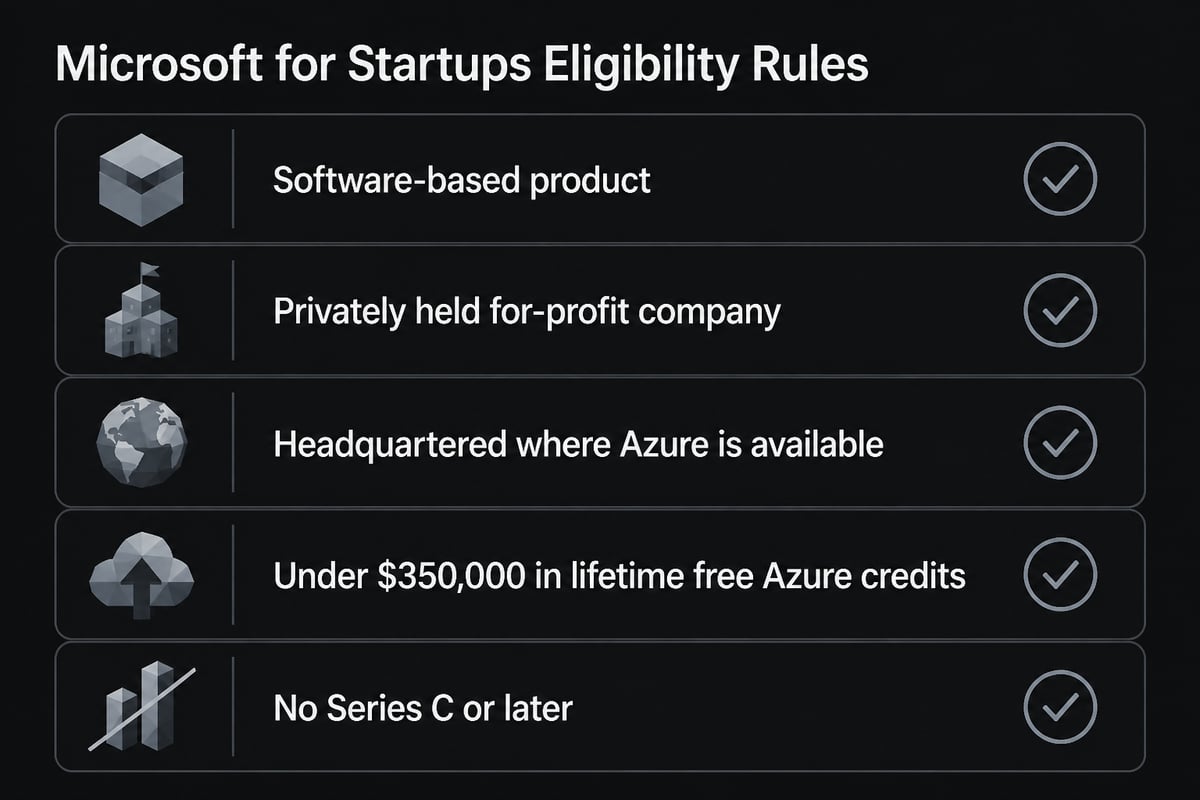
You qualify if you own a software-based product or service and meet a handful of company-status rules. Here are the requirements from Microsoft's application eligibility page:
- You own a software-based product or service.
- Your company is privately held and for-profit.
- You're headquartered somewhere Azure is available.
- You've received no more than $350,000 in lifetime free Azure credits.
- You haven't raised a Series C or later.
That's a low bar for a one-person app business. You don't need funding, a team, or a big launch. You need a real software product (or the plan for one) and a registered business entity.
One practical note: if you haven't set up your business yet, sort that out before you apply. A clear product description and a basic company website make the application much smoother.
How Azure Credits Work and How Long They Last
Azure startup credits come in stages, and the first stage is short. According to Microsoft's program FAQs, new Azure users can start with $200 in credits for 90 days. After business verification, they may receive an additional $4,800 for 180 days.
So the early math looks like this:
| Stage | Credit amount | Duration |
|---|---|---|
| New Azure user starting credit | $200 | 90 days |
| After business verification | Additional $4,800 | 180 days |
Those windows matter. Credits that expire unused are wasted, so plan your build around the clock. If you sign up and then spend three months researching ideas, you've burned a chunk of your runway before writing a single prompt.
The smart move is to apply when you already have a clear app idea and a rough build plan, so the credits fuel real work from day one.
Unlocking Bigger Credit Tiers
Larger credit tiers exist, but they're tied to how much of Azure you actually use. Microsoft's guidance on unlocking additional benefits spells out the milestones for the standard program:
- $25,000 tier: at least five Azure workloads over a sustained 60-day period.
- $50,000 tier: at least seven Azure workloads over a sustained 60-day period.
- $150,000 tier: 10 or more Azure workloads and about $3,000 per month in Azure usage over a sustained 60-day period.
Here's the honest takeaway for a first-time app builder: you probably won't hit those upper tiers early, and that's fine. Those milestones are built for companies already running real traffic across many services. If you're launching a simple web or iOS app, the starting credits can cover you for a long time.
Don't architect your app around chasing credits. Build the simplest version that people will pay for, then let usage grow into the bigger tiers if it ever needs to.
Using the Perks When You Don't Write Code
You don't need to be a developer to benefit from the program. The credits pay for the hosting, databases, and AI services behind your app, and AI coding tools now handle much of the actual building. If you're curious how that works, our breakdown of how to build an app with AI walks through the approach, and the roundup of the best AI for coding helps you choose a tool.
A practical way to use the program as a non-coder:
- Pick one simple idea that solves a specific problem for a specific group of people.
- Build a minimum version using AI-assisted tools instead of hand-coding. Our guide to MVP software development covers what "minimum" really means.
- Host it on Azure using your credits so your running costs stay close to zero.
- Use the free support and advisory sessions when something breaks or you're unsure which service to pick. Microsoft describes these on its Azure for Startups page.
- Put your energy into selling, because that's where most app projects stall.
That last step deserves emphasis. Free infrastructure doesn't produce customers. Credits can keep your app online, but marketing and sales decide whether it earns anything.
This is the gap Build and Launch Your SaaS App in 14 Days is designed to fill. It's a course that covers the full path from finding an idea people will pay for to actually selling the app, with no coding experience needed, and it pairs naturally with the free cloud resources you get from Microsoft.
Step-by-Step: How to Apply
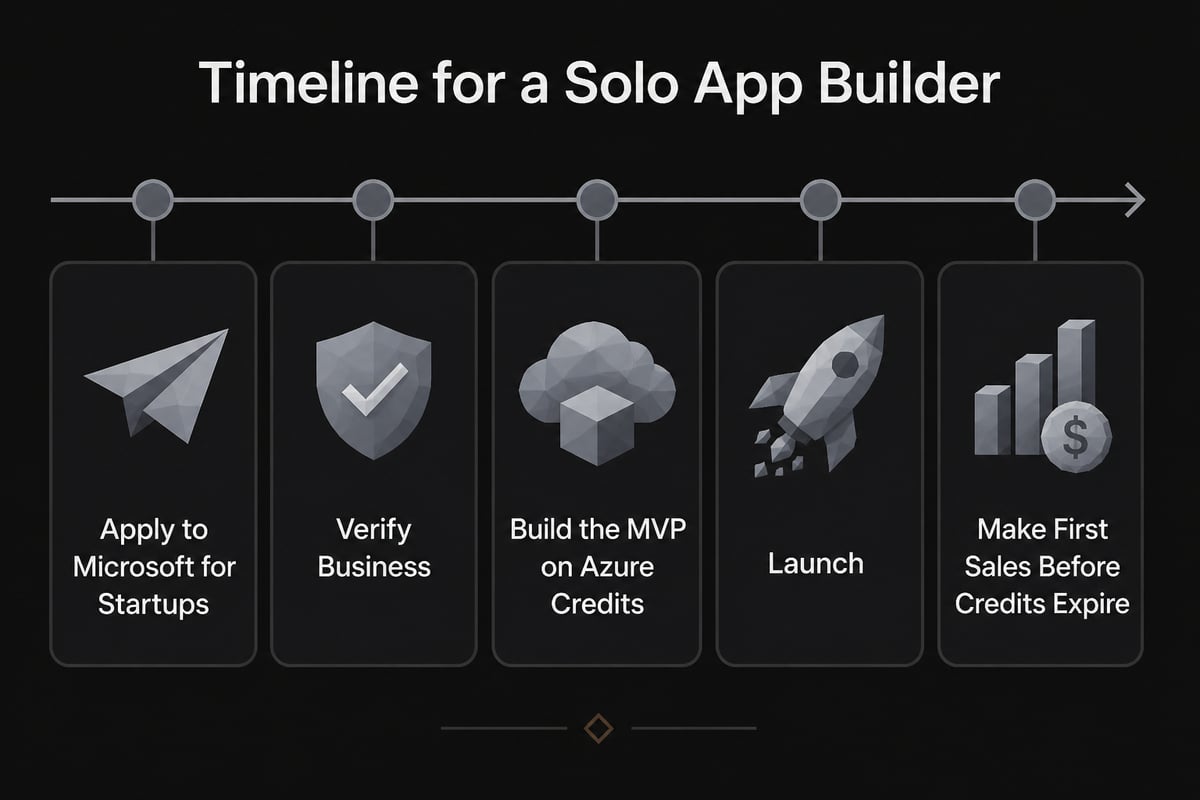
Applying is straightforward, and most of the work is getting your details ready. Here's the flow:
- Confirm you meet the eligibility rules above.
- Gather your company details, including your business name, website, and a short description of the product.
- Sign in with a Microsoft account and submit your application through Founders Hub.
- Complete business verification when prompted, since that's what can open up the additional credits mentioned in the FAQs.
- Set up your Azure subscription and start building before the credit windows tick down.
A quick tip: write your product description in plain language. "A web app that helps freelance designers track client invoices" beats vague buzzwords every time.
Getting Support After You Join
Once you're in, support runs through Microsoft's startup program channels. The program covers questions about your benefits, credits, and account, while deeper Azure technical problems go through your Azure support plan. That split matters, because sending a "my credits vanished" question to the wrong place can cost you days. Credit and eligibility questions belong with the program team. A database that won't connect belongs with Azure support, and the technical benefits overview lists 24/7 Azure Standard Support, which normally costs $1,200 per year.
Keep these habits:
- Track your credit expiry dates in a calendar so nothing lapses quietly. Set reminders for the 90-day and 180-day marks from the FAQs, plus a second one a few weeks earlier.
- Document what you build so it's easier to explain your workloads if you later aim for a higher tier. A simple running note listing each Azure service you use (hosting, database, storage, and so on) is enough.
- Ask for advisory sessions early, before you've locked in expensive architecture choices. Asking "which database fits a small app like mine?" on day one is cheaper than rebuilding in month three.
If you hit a snag with benefit extensions or credit questions, start with the program's own support routes before assuming something is broken. Most issues come down to account verification or eligibility details.
How Microsoft for Startups Fits Your Bigger Business Plan
The program lowers your costs, but it doesn't replace a business model. Think of it as free runway, and then decide what you're flying toward.
For a one-person app business, the real questions are things like:
- How will you price and monetize the app? See our guide to app monetization for the common models.
- How will you find your first users without a big budget?
- What happens to your costs when the credits run out?
That last one is worth planning early. Credits are temporary by design. Before they expire, you want revenue coming in, or at least a clear sense of what your monthly Azure bill will be at your current usage. If your app has paying users by then, the bill becomes a normal business expense instead of a surprise.
Other startup programs can stack nicely alongside this one. If you're comparing options, our posts on Notion for startups and HubSpot for startups cover discounts on project management and CRM tools that a growing app business often needs.
Common Mistakes to Avoid
Most problems with the program come from timing and focus rather than the paperwork. Watch for these:
- Applying too early. If you have no idea yet, your credit clock may start before you've built anything.
- Over-building. Spinning up many Azure services you don't need just to look "advanced" wastes your effort and complicates your app.
- Ignoring marketing. A free server with no users earns nothing. Early traffic comes from deliberate effort, and our posts on digital marketing for startups and content marketing for SaaS are good starting points.
- Skipping the fine print. Eligibility rules, credit durations, and tier requirements can change, so check Microsoft's current pages before you commit to a plan.
None of these are dealbreakers. They're just the traps that slow people down.

FAQ
What are the 5 Microsoft apps?
Microsoft's core productivity apps are usually listed as Word, Excel, PowerPoint, Outlook, and Teams. Through the startup program's technical benefits, you can get Microsoft 365 Business Premium for up to 50 seats for 12 months, which includes access to these tools.
How long do Azure startup credits last?
It depends on the stage. New Azure users can start with $200 in credits for 90 days, and after business verification they may receive an additional $4,800 for 180 days, according to Microsoft's program FAQs.
How do I open Microsoft Teams after joining?
Sign in at teams.microsoft.com or open the Teams desktop app with the Microsoft account tied to your 365 subscription. If you received Microsoft 365 through the program, use that same account so your license is recognized.
Your next step is simple: write a one-sentence description of the app you want to build, then check it against Microsoft's eligibility rules before you apply. If you want a proven path from idea to first sales without writing code, Build and Launch Your SaaS App in 14 Days walks you through it, and CreateSell's system has been used to scale products to tens of thousands of dollars per month. When you're ready to turn your idea into something that earns, Join Waitlist to get in line for the next steps with CreateSell.


