
Low Code No Code: A Guide for Building Apps Without Coding

Modest Mitkus
November 8, 2026
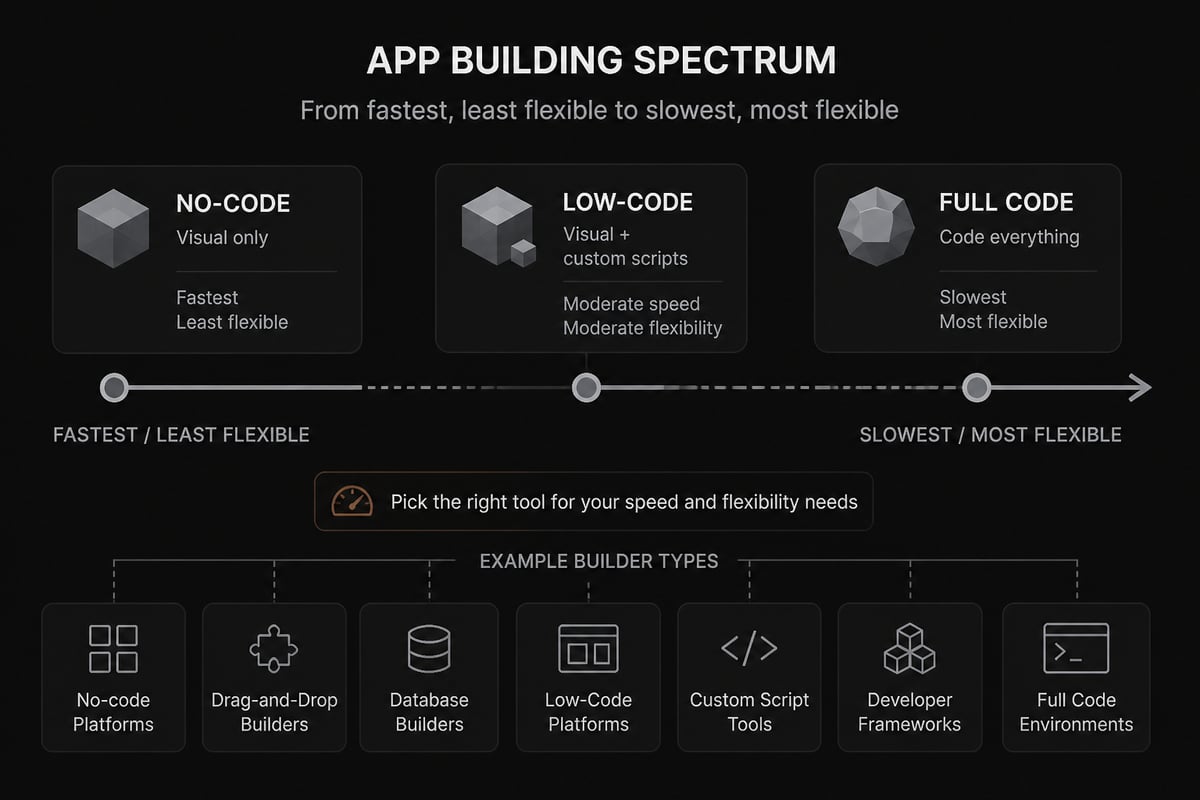
Low code no code is a way of building software with visual tools instead of writing every line by hand. Low-code gives you drag-and-drop building blocks plus the option to add custom code, while no-code removes code entirely and lets you assemble an app from pre-built pieces.
That's the short answer. The longer one matters if you want to build something people pay for, because the tool you pick shapes how fast you launch, how much you can customize, and how far the product can grow. Let's sort out what each approach does, where it shines, where it breaks, and how to turn a finished app into income.
What does "no-code" mean?
No-code means building an app, website, or automation through visual interfaces, where you click, drag, and configure instead of typing code. The platform has already written the code underneath, so you're arranging finished parts like a form, a database table, a login screen, and a payment button.
Think of it like building with LEGO instead of molding plastic. You can make something impressive, but you're limited to the shapes in the box. For many products, that box is plenty.
A typical no-code build looks like this:
- You define your data (users, orders, posts) in a visual table.
- You design screens by dragging components onto a canvas.
- You set rules in plain language, such as "when someone signs up, send a welcome email."
- You hit publish, and the platform hosts it for you.
No-code is the most beginner-friendly route in. It's also the one most likely to hit a ceiling when your needs get unusual.
Low-code vs no-code: what's the real difference?
The real difference is how much custom code you're allowed, or expected, to write. No-code assumes you never will. Low-code assumes you might, for the 10 or 20 percent of the app that visual tools can't handle.
Here's a side-by-side view:
| No-code | Low-code | |
|---|---|---|
| Coding required | None | Little, optional but useful |
| Speed to first version | Fastest | Fast |
| Customization | Limited to platform options | Much higher |
| Learning curve | Gentle | Moderate |
| Typical builder | Founders, marketers, creators | Developers, technical founders |
| Risk of hitting a ceiling | Higher | Lower |
Neither one is "better." A solo founder validating an idea over a weekend probably wants no-code. A developer who needs a custom integration, or wants to avoid rebuilding from scratch later, probably wants low-code.
The line between them is also blurry. Many popular tools sit in the middle: mostly visual, with a place to drop in a script when you need one.
Why low code no code has taken off
Low code no code has grown because it cuts the slowest parts of building software, the setup, the boilerplate, and the repeated work. And the numbers back that up.
A 2024 survey of 585 software developers and IT professionals found that most said low-code tools boosted developer productivity in their organizations. The same survey reported that most respondents were already using low-code/no-code tools, and many developers said they saved up to half their time on a project with them.
That last number is the one that should catch your eye. If you're a developer, half your project time back is a lot of extra hours to spend on the stuff that actually grows a business, like talking to users and fixing onboarding.
The survey also showed where developer time normally goes: a large share goes to coding apps and designing them. Visual tools attack exactly those two buckets.
There's research on the beginner side, too. A 2024 empirical study compared programmers and citizen developers using a no-code builder, which is a useful read if you're wondering whether non-coders can really keep up.
What can you actually build without coding?
You can build far more than most people expect: client portals, directories, marketplaces, booking tools, internal dashboards, simple SaaS apps, and mobile apps. The trick is matching the idea to the tool's strengths.
Here are common product types and how they usually fare:
- Directories and listing sites. Very well suited. Data tables plus search and filters cover most of it.
- Membership and course platforms. Well suited, since login, content gating, and payments are standard features.
- Micro-SaaS tools. Workable if the logic is simple, like a calculator, tracker, or generator. If you want ideas, these micro SaaS examples show how small, focused products can earn.
- Marketplaces. Doable, though payments between two sides get tricky fast.
- Heavy real-time apps or games. Usually a poor fit. Anything needing split-second performance or unusual device access tends to outgrow visual builders.
If you're curious how far this goes for software businesses specifically, this breakdown of no-code SaaS walks through what's realistic.
What about no-code game development?
Simple games, like puzzles, quizzes, card games, and basic 2D titles, are very buildable with visual game engines, and many of them export to web or mobile. Complex 3D games, multiplayer titles, and anything performance-hungry still lean on traditional engines and real code. If your goal is income rather than a hobby project, check how mobile game monetization strategies work before you pick a genre.
Where low code no code starts to hurt
These tools have real limits, and knowing them early saves you from rebuilding at the worst possible moment. The big four are customization, performance, ownership, and cost.
- Customization. If the platform doesn't offer a feature, you wait for it or work around it. Low-code softens this, but doesn't erase it.
- Performance. Visual builders can get slow with large datasets or lots of simultaneous users.
- Ownership and lock-in. Your app often lives on the platform. If pricing changes or the company shuts down, moving out can mean starting over.
- Cost at scale. Pricing that's friendly at 50 users can sting at 5,000.
None of this means you shouldn't build. It means you should treat your first version as a way to learn what customers want, not as the forever foundation. That mindset is the whole idea behind a minimum viable product: ship something small, see who pays, then decide what deserves a stronger build.
Worth asking before you commit to any platform: can I export my data, and what happens to my app if I leave?

How to choose the right tool for your idea
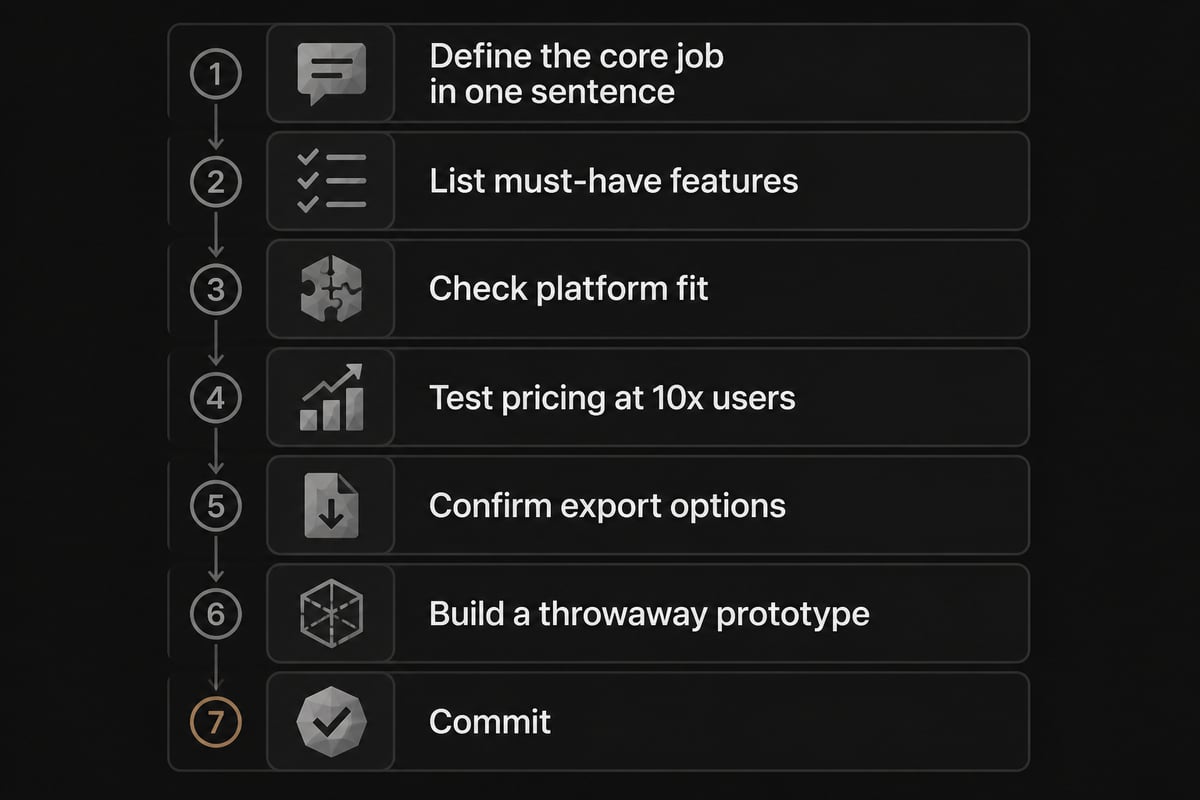
Pick the tool by working backward from what your app has to do on day one, not by choosing the most popular platform and hoping it fits. A short checklist keeps you honest.
- Write the core job in one sentence. "Users upload a file and get a report" is a spec. "A cool productivity app" is not.
- List the must-have features. Logins, payments, notifications, integrations, and so on.
- Check each must-have against the platform. Is it built in, available as a plugin, or impossible?
- Test the pricing at 10x your hoped-for users.
- Look for an escape hatch. Data export, an API, or the option to add custom code.
- Build a throwaway prototype first. A few hours of tinkering tells you more than a week of reading reviews.
If you're weighing platforms and want a feel for the options, this look at no-code startups and the no-code, no problem walkthrough are good starting points.
Where AI and vibe coding fit in
AI has added a third path alongside low-code and no-code: you describe what you want in plain language and an AI tool writes the actual code for you. People call this vibe coding, and it's closing the gap between "I can't code" and "I shipped an app."
The difference from classic no-code is that you end up with real code you own, not an app trapped inside someone's builder. That helps with the lock-in problem above. If you want to try it, start with these guides on vibe coding and using AI to code.
Which AI is best for coding?
There's no single winner, because it depends on what you're building and how much you already know. Some tools are better at generating whole apps from a prompt, others at editing existing files, and others at explaining errors in plain English. A rundown of the best AI for coding compares the common options, and it's smart to try two or three on a small project before settling.
What's the 80/20 rule in coding?
The 80/20 rule says roughly 80% of your results come from 20% of your effort, and in software it usually means a handful of core features deliver most of the value. For a low code no code builder, that's good news: build the 20% that solves the main problem, skip the rest, and launch. Everything else can wait until paying customers ask for it.
The part that decides whether you earn: selling it
Building the app is the easy half now. Getting strangers to find it, trust it, and pay for it is where most projects quietly die.
That's the gap for both kinds of builders. Non-coders often pour weeks into a beautiful app with no plan for who'll use it. Developers and indie hackers often have the opposite problem: a solid product and no audience. Fast tools make this worse, not better, because it's now cheap for everyone to launch a nearly identical app.
So treat distribution as part of the build. Before you open any platform, figure out:
- Who exactly it's for, in one specific sentence.
- Where those people already hang out, such as a subreddit, a community, or a newsletter.
- How you'll charge, since your revenue model affects everything from pricing pages to churn.
- How you'll get your first ten customers by hand, before any automation.
Communities can be a surprisingly cheap way to find those first users, and a Reddit marketing strategy is a good place to start if you're tight on budget. And once people sign up, onboarding decides whether they stick around.
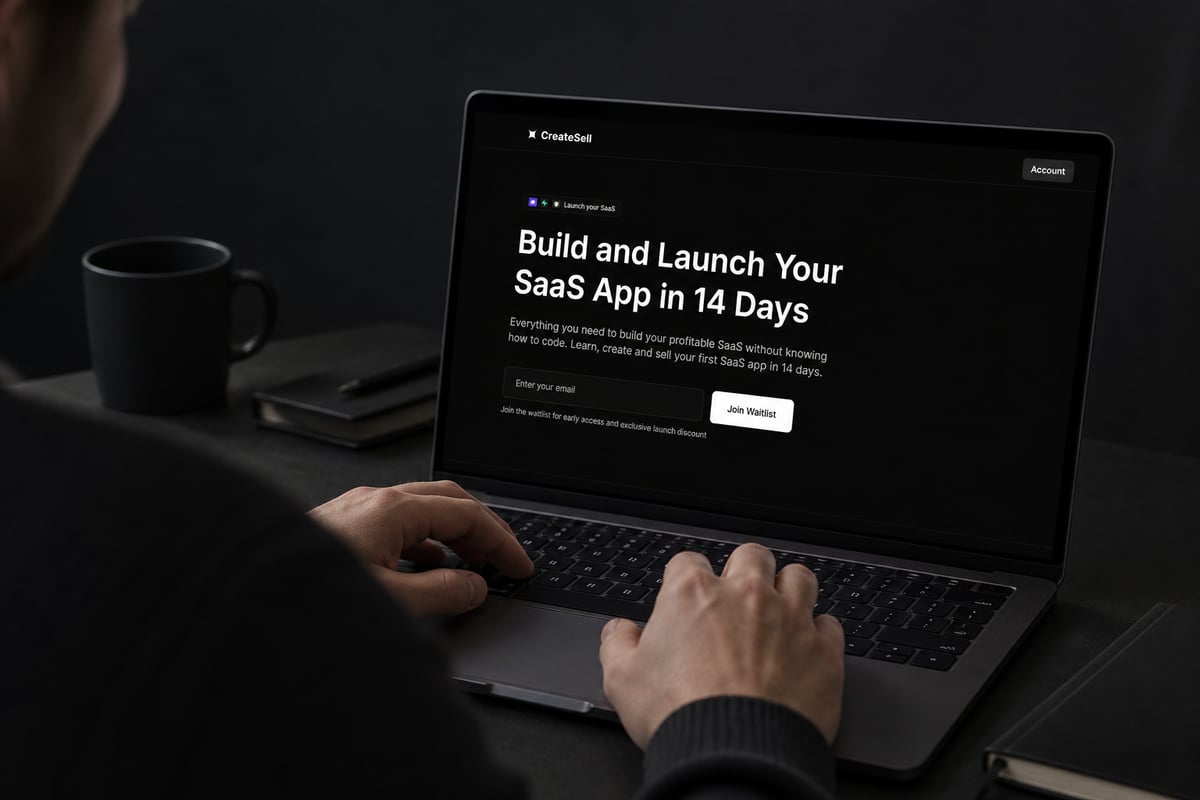
If you'd rather follow a structured path than piece this together yourself, Build and Launch Your SaaS App in 14 Days from CreateSell walks you through learning, building, and selling your first SaaS app without needing to know how to code. It's built for people who want a clear sequence instead of a pile of tutorials, and it covers the selling side that most app projects skip.
A simple plan to go from idea to first sale
You can go from a vague idea to a live, paid product in a few weeks if you keep the scope tiny and sequence the work properly. Here's a plan that works for both non-coders and developers.
- Find a problem people already pay to solve. Browse app ideas that make money for patterns, then check whether real people are complaining about the problem online.
- Validate before you build. Describe the solution to a handful of people and see if anyone asks to pay or join a list.
- Pick the lightest tool that covers your must-haves. No-code if you're non-technical, low-code or AI-assisted if you can code.
- Build only the core feature. One job, done well.
- Charge from day one. Free users give opinions, paying users give signal.
- Talk to your first customers constantly. Fix what confuses them before adding anything new.
- Track monthly revenue and churn. Watching MRR tells you whether you have a business or a hobby.
A word on tooling beyond the app itself: if your product needs a polished marketing site, a partner like Makeway, which designs and builds websites and digital experiences for brands, can handle that side while you stay focused on the product.
FAQ
Is low code no code good enough for a real business?
Yes, for many products it is. Plenty of working businesses run on visual tools, especially in the early stages. Just plan for limits on customization and cost at scale, and keep a way to export your data so you aren't stuck.
Do I need any technical skills to use no-code tools?
You don't need to write code, but you do need to think logically. Understanding basic ideas like data tables, user accounts, and if-this-then-that rules helps a lot. Most beginners pick these up while building their first small project.
Can I switch from no-code to custom code later?
Usually, though it often means rebuilding rather than migrating. That's why it helps to treat your first version as a test of demand. Once you know people will pay, you can invest in a stronger foundation with confidence.
Your next step is simple: write the one-sentence job of your app and show it to five people who might pay for it this week. If you want a guided path from idea to first sale, start with Build and Launch Your SaaS App in 14 Days, then join the CreateSell waitlist to get the full system for building and selling apps without writing code.